
Pi Day Reflections: My Journey Building with Raspberry Pi
Every year on March 14th, developers, mathematicians, and technology enthusiasts celebrate Pi Day — a day honoring the mathematical constant π (3.14).
For me, Pi Day has also become a reminder of another kind of Pi that sparked my curiosity: the Raspberry Pi. What started as simple experimentation with a tiny single-board computer gradually turned into a series of projects that taught me a lot about Linux, networking, hardware integration, and automation.
Discovering the Power of a Small Computer
The first thing that fascinated me about the Raspberry Pi was the idea that such an inexpensive and compact board could function as a full computer. Running Linux, connecting to peripherals, and interacting with hardware through GPIO pins opened up possibilities that felt very different from traditional desktop or mobile development.
Instead of just writing software, Raspberry Pi encourages you to build systems — combining hardware, networking, and software together.
That shift in perspective is what pulled me deeper into experimenting with it.
Building Real Projects
Over time, my curiosity led to several Raspberry Pi projects that pushed me to learn new skills and experiment with different technologies.
Media Server:
One of the first practical systems I built was a home media server. Using the Raspberry Pi as a low-power server, I was able to store and stream media across my home network.
This project introduced me to: • Linux server configuration • Network storage and streaming • Running services on lightweight hardware • Managing remote systems over SSH
It was a great introduction to using Raspberry Pi as an always-on home server.
Home Lab Server:
After setting up a media server, it felt natural to expand into building a home lab server. The Raspberry Pi became a platform where I could experiment with services, networking setups, and different software stacks without risking my main development environment.
Running a home lab allowed me to explore: • Self-hosted services • Linux system administration • Automation and scripting • Testing new tools and ideas safely
It essentially became a playground for learning infrastructure concepts.
AI Chat Bot on Raspberry Pi:
More recently, I started experimenting with running AI-based projects on the Raspberry Pi. One of those ideas was creating a small AI chatbot system running locally on the device.
While the Raspberry Pi isn’t designed for heavy AI workloads, it’s still capable of hosting lightweight AI tools, APIs, and interfaces that make experimentation possible.
This project helped me explore: • Running AI services on edge hardware • API integration • Building lightweight interfaces for AI tools
It was exciting to see how even small devices can participate in modern AI workflows.
Retro Game Emulator:
Another fun project was turning a Raspberry Pi into a retro gaming emulator. With the right software and configuration, the Pi can emulate classic gaming systems and bring older games back to life.
This project was less about productivity and more about nostalgia and experimentation. It showed how flexible the Raspberry Pi platform really is.
With just a small board, some controllers, and an SD card, you can recreate an entire retro gaming experience.
E-Ink Display Calendar:
One of my favorite recent projects has been using a Raspberry Pi with an e-ink display to build a calendar and information dashboard.
E-ink displays are perfect for this type of project because they use very little power and remain readable even when not refreshing the screen.
This project involved: • Interfacing with an e-ink display module • Pulling data from external sources • Rendering information like dates and schedules • Running a lightweight dashboard on the Pi
It’s a great example of how Raspberry Pi can power simple but useful everyday tools.
Why Raspberry Pi Is Still Special:
What makes Raspberry Pi unique isn’t just the hardware — it’s the ecosystem and the mindset it encourages.
It’s a platform that invites experimentation. You don’t need expensive equipment or enterprise infrastructure to start building interesting systems. A small board, a microSD card, and curiosity are enough to begin.
For developers, it’s a reminder that learning doesn’t always come from large projects or complex systems. Sometimes it comes from tinkering with small devices and exploring what they’re capable of.
A Different Kind of Pi Day:
So while Pi Day celebrates a mathematical constant that has influenced science and engineering for centuries, it also reminds me of the creative potential of the Raspberry Pi.
Both represent curiosity, exploration, and discovery.
And sometimes, all it takes to start that journey is a tiny computer and an idea.
Happy Pi Day.
🎄 A Fresh Start
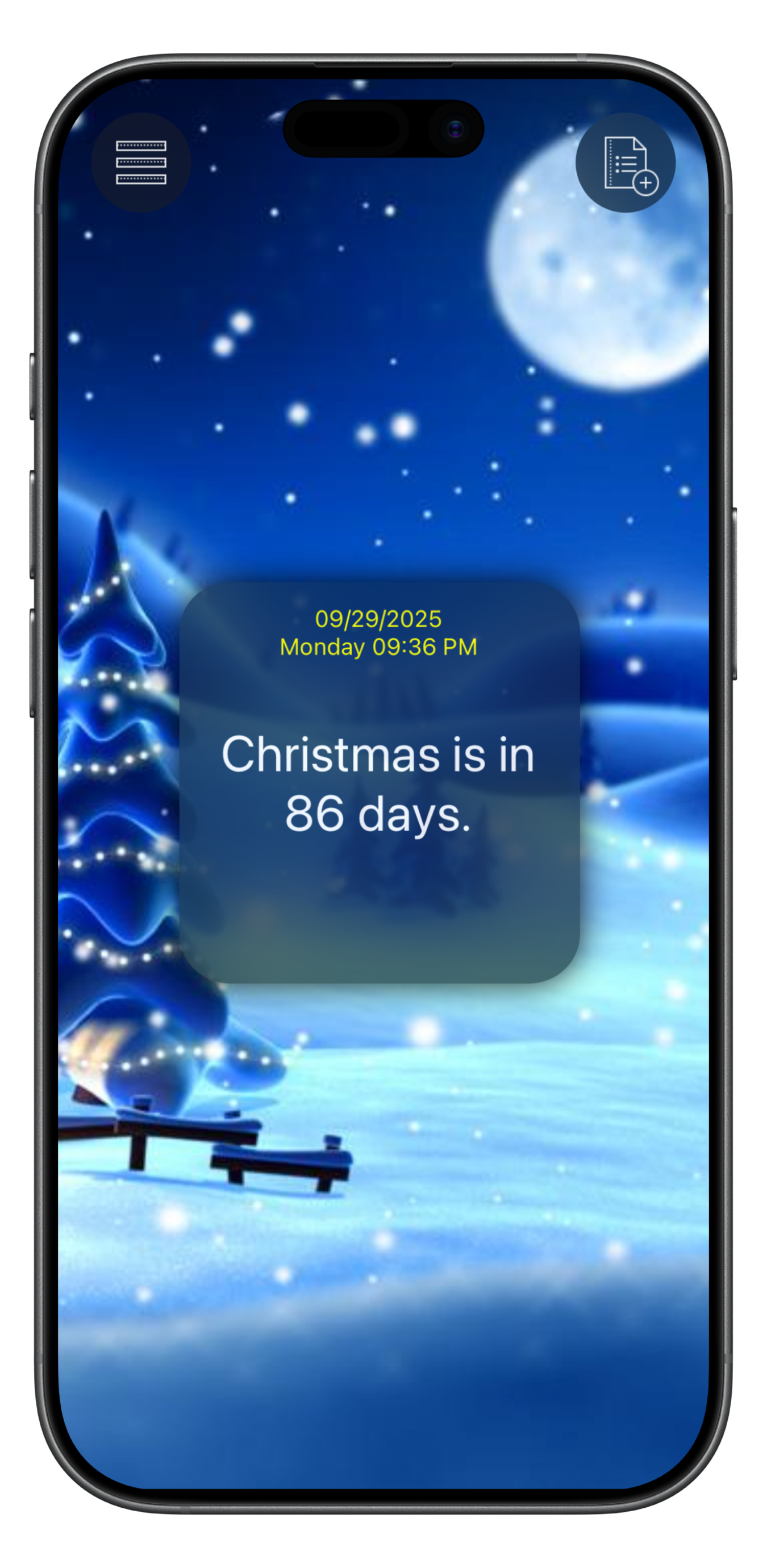
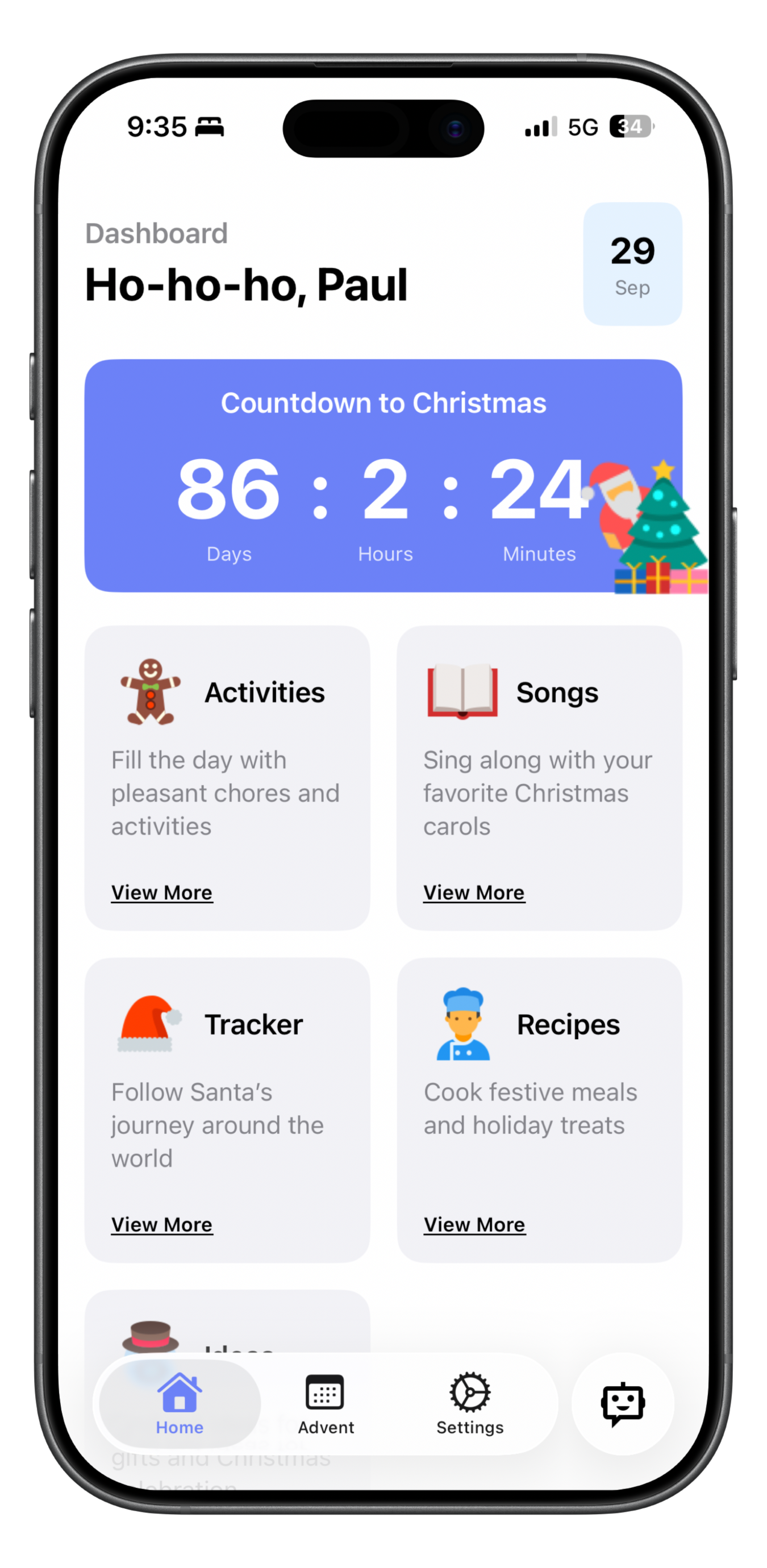
Noel version 3 marks a new chapter for my Christmas countdown app. This update is a complete rewrite and redesign, bringing a modern interface, improved performance, and a stronger foundation for future updates.
Rebuilding the app from the ground up wasn’t a simple task, but it created an opportunity to refine the experience. I focused on delivering a cleaner, more minimal design that still captures the festive spirit. The result is an app that feels faster, lighter, and easier to maintain while staying true to its holiday roots.
The rewrite also provided valuable lessons. Choosing what to carry forward and what to simplify was a challenge, but it helped me prioritize the core countdown experience instead of overwhelming the app with unnecessary features. Designing with minimalism made every detail more important, pushing me to refine each element with care.
Looking ahead, Noel’s new foundation makes it easier to add features that many users have requested, such as countdown themes, widgets, and festive animations to bring the experience to life. Feedback will play a big role in shaping where Noel goes from here, so I’d love to hear your thoughts on what would make the countdown even more special.
Version 4 is only the beginning of this new direction. Below you can see a glimpse of how far Noel has come — a side-by-side look at the previous design and the new, refreshed version.
— Paul
My First Dev Log
Hi, I’m Paul Roden Jr., an indie iOS developer. I’m starting this blog to share my journey of building apps — the progress, the challenges, and the lessons I learn along the way.
So far, I’ve worked on apps like ProLight (flashlight + fitness), Noel (Christmas countdown), TaskSync (task manager), and DocMatic (document scanner). Each project has taught me something new, and I want to document that process here.
Right now, I’m focused on Noel 3, a big redesign with widgets and new features. I’ll be posting updates as I go.
Thanks for following along — more dev logs coming soon!
— Paul